
Create MSIX from EXE for Silent, Automated, and Scalable Deployment
Use a visual tool designed to create MSIX from EXE, giving IT teams, system administrators, and packaging professionals the precision, efficiency, and control they need for reliable deployment
Download TrialVersion 12.1.1March 20, 2026
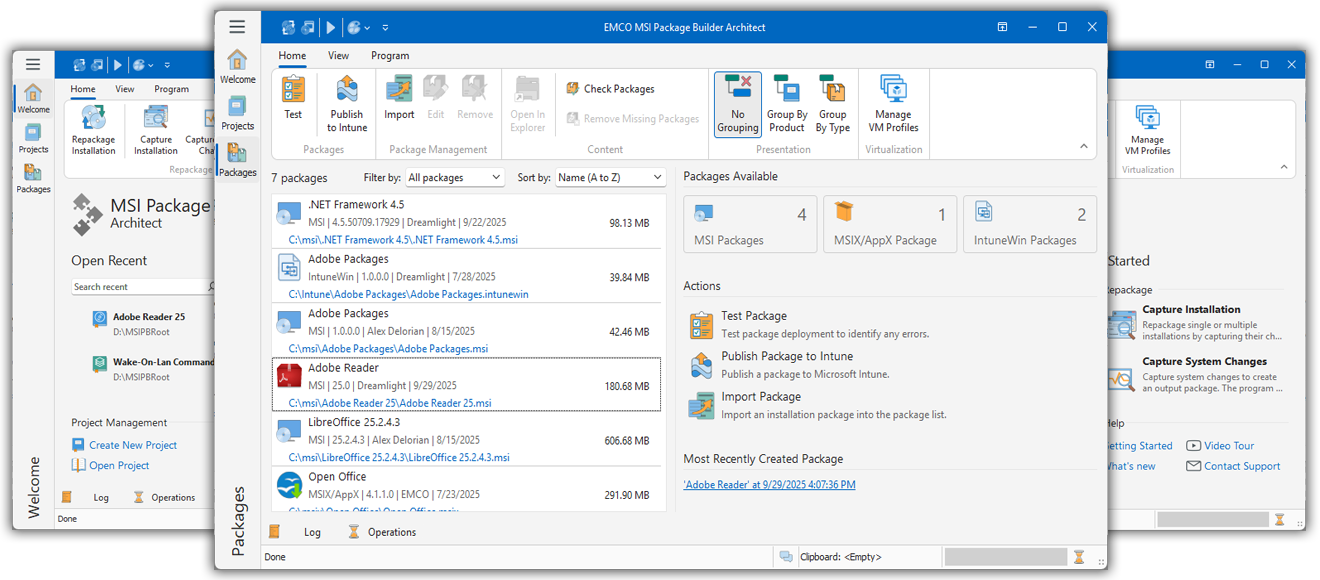


Effortless Creation of MSIX Packages from EXE Setups
Create MSIX packages from EXE setups with a tool that simplifies installation repackaging and ensures consistent results
EMCO MSI Package Builder: Fast, Easy, Consistent Repackaging
Use a professional tool to automate installations, customize setups, and create MSIX from EXE for streamlined software packaging and deployment.

Deploy at Scale
Create MSIX packages to deploy applications across network. Simplify installations with silent setups.
Get Consistent Installs
Build MSIX from EXE to ensure identical software setups across all machines and eliminate manual deployment.
Modernize Legacy Installers
Repackage EXE installers into MSIX format. Standardize deployment for easier software management.
Create MSIX from EXE with Advanced Tools
Streamline MSIX creation from EXE with intuitive tools that save time and deliver consistent, reliable MSIX packages ready for automated deployment
Innovative Live Monitoring Technology
Create MSIX packages from EXE installers using monitoring. The repackaging tool captures file system and registry changes during installation and automatically uses them to generate an MSIX installer — no manual setup or scripting required.
Clean, Intuitive Interface
Repackage installations with ease using a clean, wizard-based interface. The EXE to MSIX converter streamlines each step, letting you focus on configuration instead of technical details — no coding or deep MSIX knowledge required.
Multiple Output Formats: MSI, MSIX
Create MSI and MSIX packages from a single project — no need to recreate or reconfigure your work. EMCO MSI Package Builder gives you flexibility to deliver installers in the format that fits your deployment environment.
Custom Actions for Advanced Scenarios
Enhance your MSIX packages by adding custom scripts, executables, or commands. These actions can be configured to run automatically before or after installation or uninstallation, ensuring advanced installation logic for complex deployment needs.
Use Repackaging or Wrapping
Choose the most effective packaging method for your deployment scenario — wrap EXE installers for quick MSI or IntuneWin creation, or use repackaging to capture detailed installation changes and build fully customizable MSI or MSIX packages.
Repackage Complex Installations with Ease
Convert and repackage installations of any complexity quickly and easily. Manage advanced cases like deploying Windows drivers or services, and ensure accurate, reliable MSIX packaging even for the most complex setups.
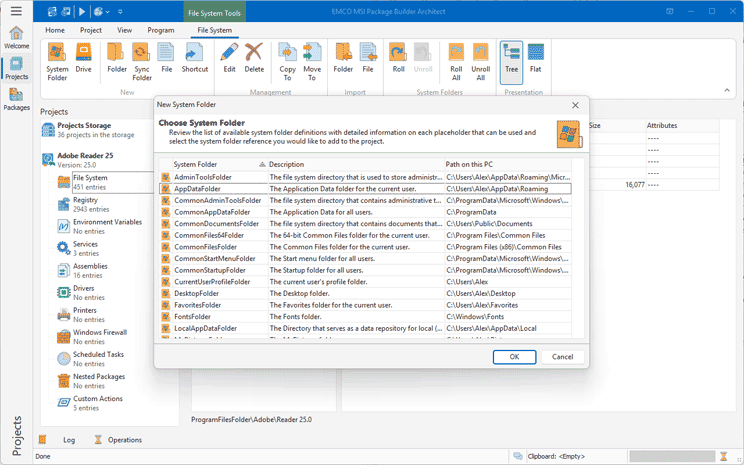
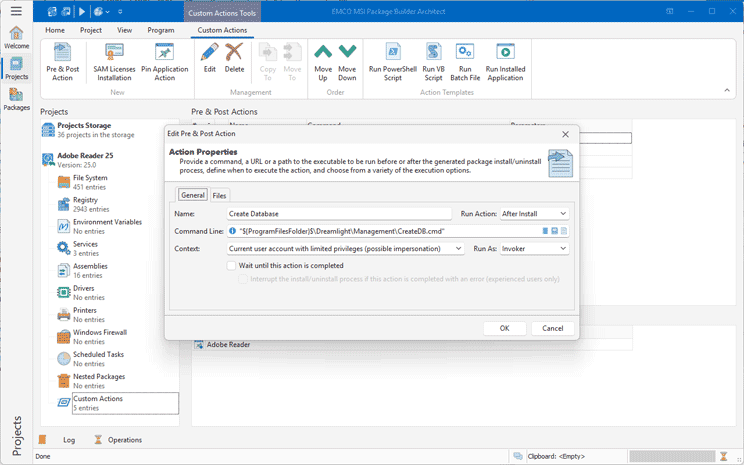
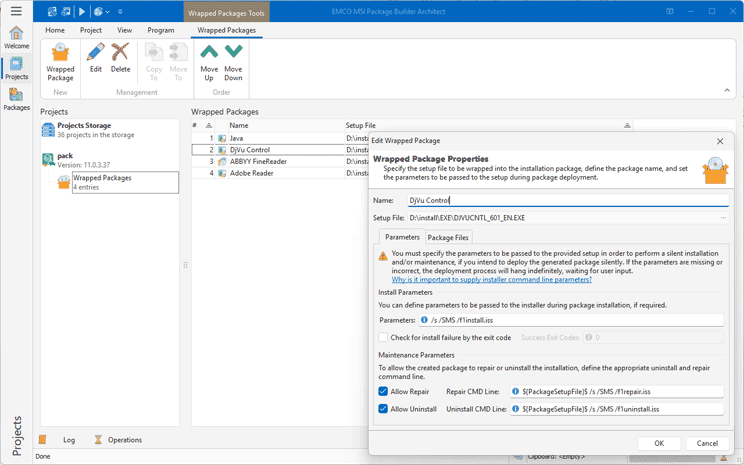
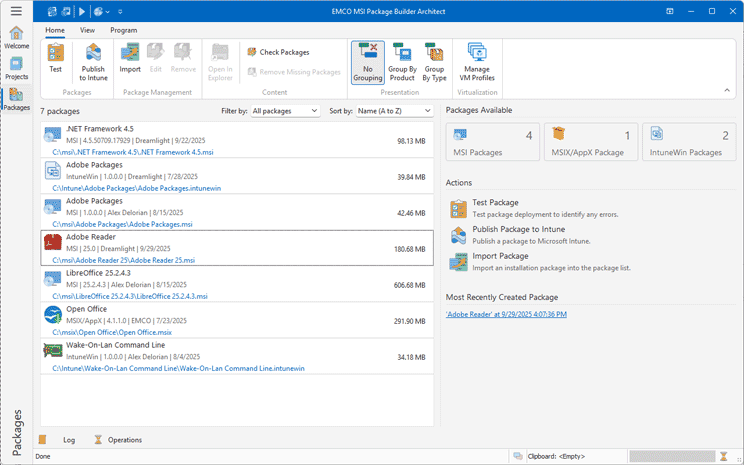
Create MSIX from EXE in a Few Simple Steps
Repackage installations using a simple, step-by-step process.
Get started now: Download Trial

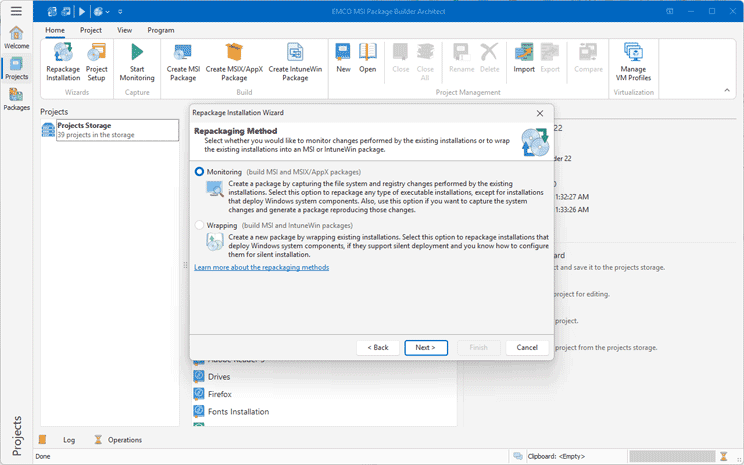
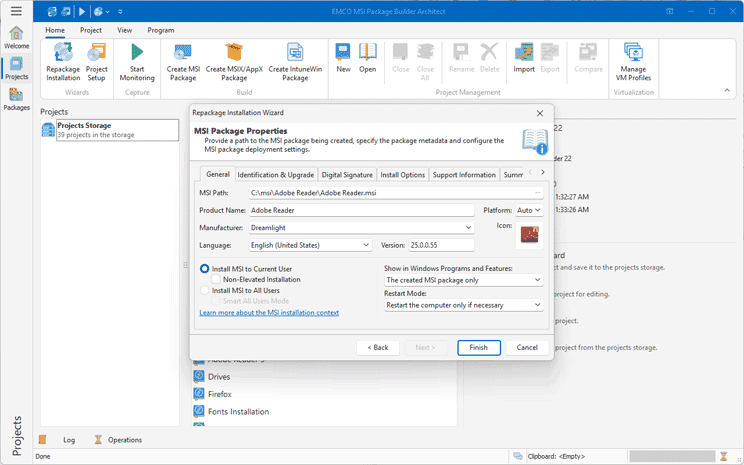
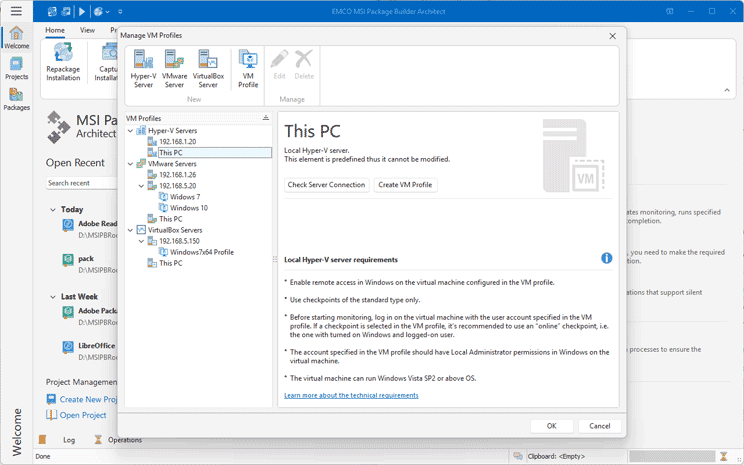
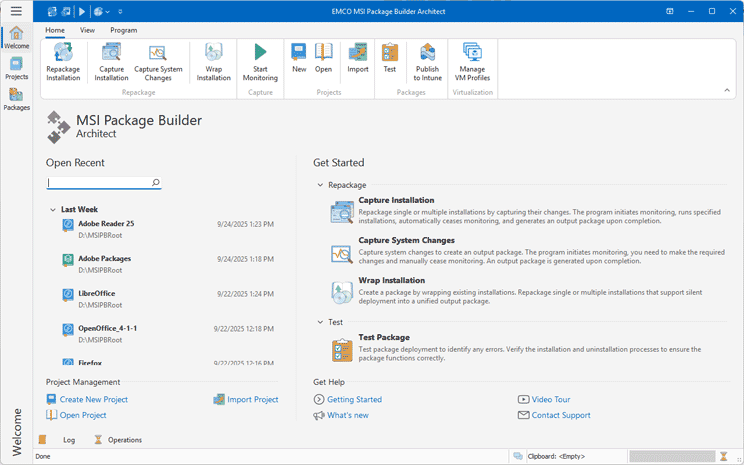
Choose a Repackaging Method
Start MSIX packaging from EXE by selecting a repackaging method. Use wrapping if the EXE installer supports silent deployment, or use repackaging by monitoring system changes.
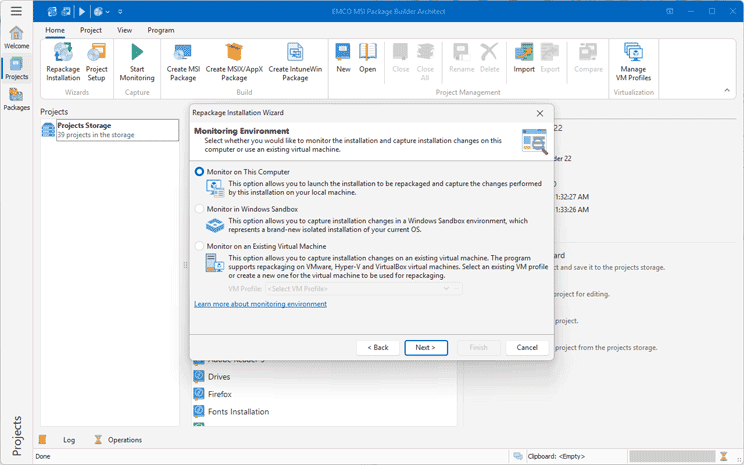
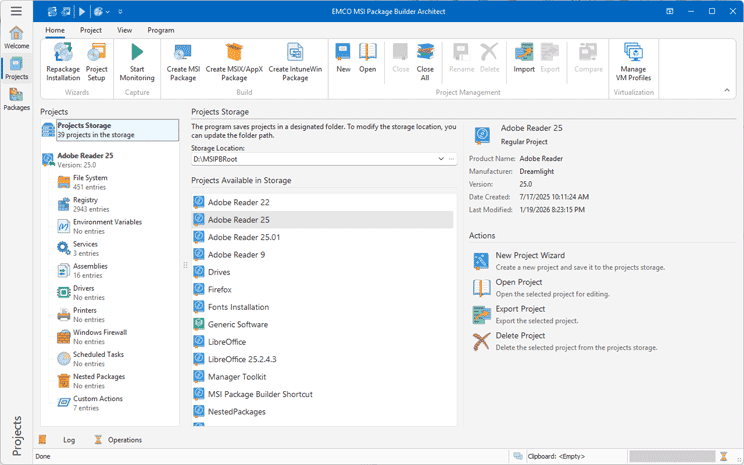
Monitor Changes
Enable real-time tracking to capture system changes automatically. To repackage an existing setup, just run its installer — the program will detect all modifications and use them to create an MSIX package.
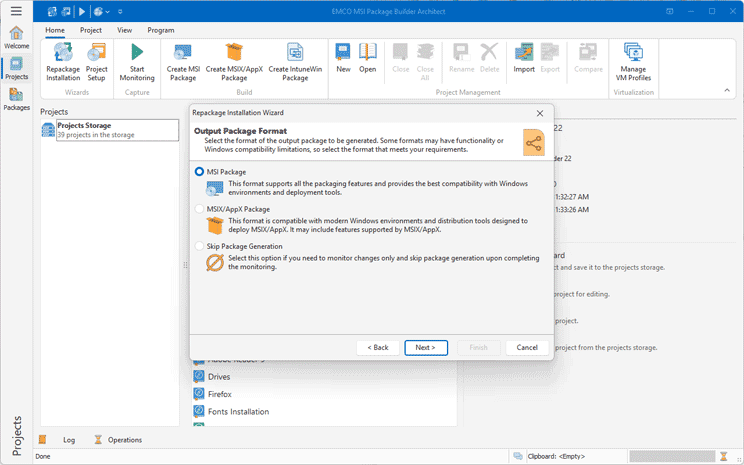
Generate a Package
The system changes captured during monitoring are automatically included in the output. The program builds a portable, production-ready MSIX package by handling all necessary steps for you.
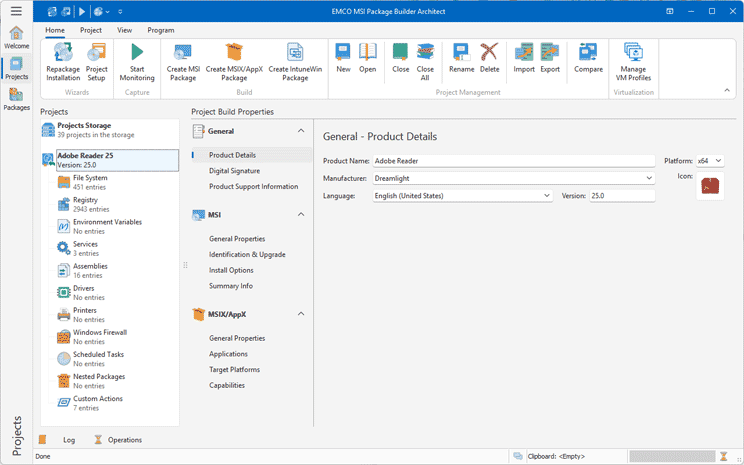
Review a Project
Optionally review your MSIX project to verify the captured changes. This is useful for projects created through monitoring, so you can confirm all required modifications are included.
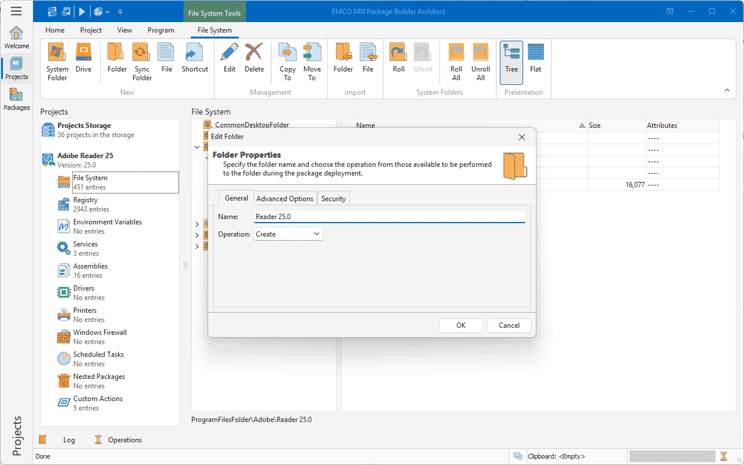
Add Customizations
If needed, you can add custom actions such as scripts or executables to run before or after installation or uninstallation, allowing you to apply required changes to the system.
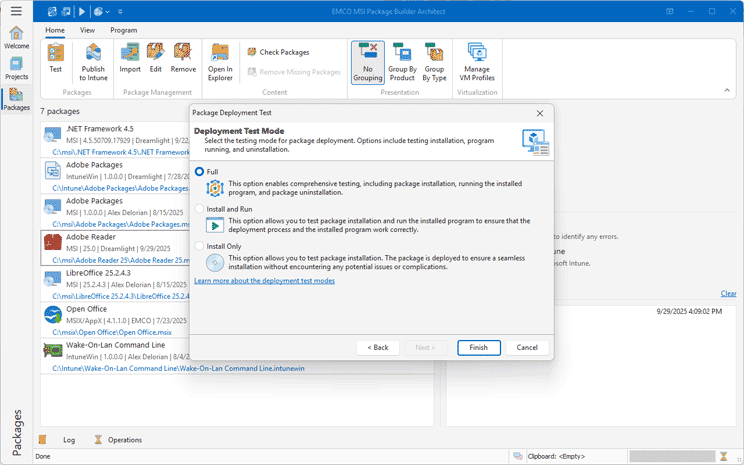
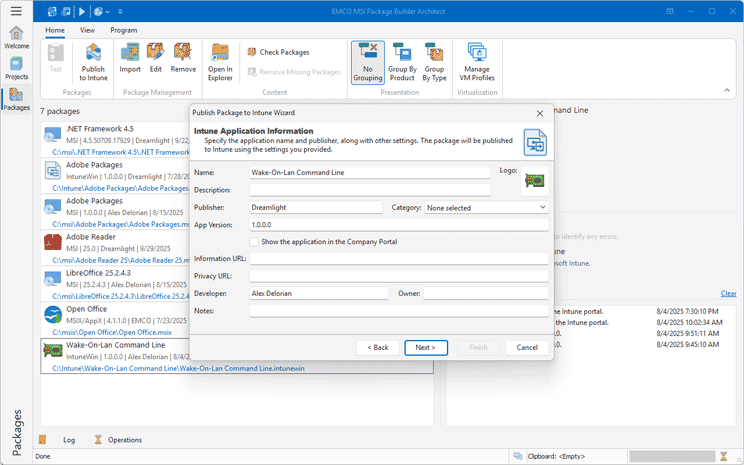
Test and Deploy
Verify that the MSIX package works as expected by testing it. You can publish it directly to Intune and assign it to users or devices, or deploy it through SCCM, GPO, or other deployment tools.
Why Choose EMCO MSI Package Builder
Not all packaging tools are made equal. EMCO MSI Package Builder offers a smooth experience and reliable, consistent results.
Application Packaging, Done Right
EMCO MSI Package Builder focuses solely on installation packaging and creating MSI and MSIX packages from EXE installers — no unnecessary tools or added complexity. It delivers exactly what you need, making packaging faster, simpler, more efficient, and more cost-effective.
Unique Packaging Technology
Many repackagers fail with complex setups, but EMCO MSI Package Builder handles them reliably. It filters noise and captures only required changes for clean, stable MSIX packages.
Consistent Results Across Machines
Generated installation packages are portable and environment-independent, ensuring reliable and repeatable installations across all target systems.
A Proven Tool, Trusted for Decades
With over 20 years of continuous development, EMCO MSI Package Builder has helped IT professionals solve real-world packaging challenges. Trusted by thousands of organizations, it simplifies complex installations and delivers stable, precise MSIX packages every time.
What IT Professionals Say
EMCO MSI Package Builder is one of the better stand-alone MSIX packaging tools that I've had a chance to work with and it lets you create MSIX packages quickly and easily from non-silent EXE setup files.
Editorial review on TechGenix
I am quite amazed on how easy it is to package software
Bill Mounsey, Louisiana Supreme Court
Your product does all the things I have always wanted
Darren Lloyd, EMS
Frequently Asked Questions
Free 30-Day Trial — No Hassle, No Commitment
Try EMCO MSI Package Builder free for 30 days. No registration or credit card required.
Download Trial